

Incoming DLP – Add Email Banner

A new workflow that adds email body banner to incoming emails containing sensitive data.
Organizations require enforcing policy on Incoming emails that contain sensitive data, in order to prevent abuse, further distribution and compliance violations.
In some cases, administrators prefer not to quarantine such emails, but rather clearly mark them as containing sensitive data.
The Inbound DLP policy now includes a new workflow, so that such emails are delivered to the internal recipients with an added configurable email body banner.
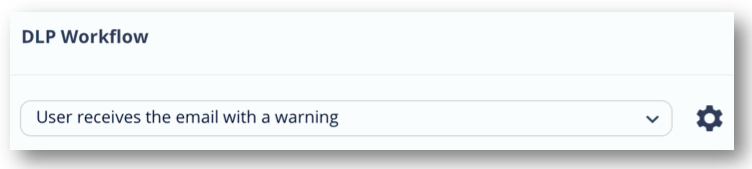
Note – this feature is now being gradually deployed. You should see it in your portal during the next 7 days.
You may also like

Which Brands Are Impersonated Most? Inside the Q2 2026 Brand Phishing Report
Key Takeaways Microsoft continues to be the single most impersonated ...

Inline Email Security and Microsoft 365: A Practical View of Mail Routing, Risk, and Prevention
Microsoft’s guidance on inbound and outbound mail routing for third-party ...

Email Agent Hijacking: The Hidden Threat That Breaks Post-Delivery Security
Key takeaways AI agents create a new email attack surface ...

How Check Point Email Security Stopped a Student Job Scam Before It Reached the Inbox
A student receives what looks like a routine summer job ...