
Automatic Personalization of End User Browser-Based Interaction Language

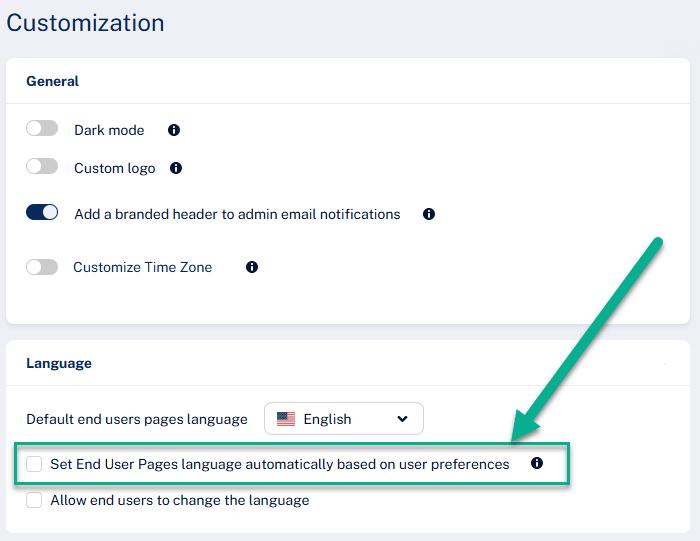
Avanan now introduces automatic personalization of end user browser-based interaction language based on each user’s Microsoft 365 or Google Workspace preferences.
Earlier this year, Avanan introduced localization for browser-based end user interactions, enabling organizations to define the language used across the end user experience. This allowed organizations operating in a single language environment to easily provide a consistent localized interface.
However, today’s workforce is often globally distributed, with employees working across multiple regions and speaking different native languages. A single default language may not always provide the best experience for every user.
With this new capability, administrators can automatically align the language used in browser-based end user interactions with each user’s Microsoft 365 or Google language settings. Instead of relying on users to manually change their language preference, Avanan automatically applies the user’s native language from their first interaction. This ensures that security notifications, remediation flows, and other browser-based experiences are presented in a familiar language from day one – creating a smoother and more intuitive experience while reducing friction for globally distributed organizations.
This feature is being deployed gradually and should become available in customer portals over the next 7 days.