Security Awareness Training – Custom Phishing Simulation Templates

Avanan now introduces Custom Phishing Simulation Templates, providing organizations with greater control over their phishing simulation campaigns.
From day one, the Security Awareness Training solution has been powered by GenAI, automatically generating highly personalized phishing simulations based on deep familiarity with each user. This automatic approach allows attack patterns to be mimicked more realistically, helping organizations deliver dynamic and effective training at scale.
At the same time, some security teams require more direct control and prefer to craft phishing templates themselves to align with internal standards, regulatory requirements, or established processes.
With Custom Phishing Simulation Templates, administrators can now design and manage their own phishing scenarios while continuing to leverage the broader SAT framework. This capability is particularly valuable for organizations that need simulations to follow strict compliance guidelines, reflect approved internal messaging styles, or go through internal review processes before being distributed. Avanan now enables that level of customization – giving teams the flexibility to choose between fully automated, GenAI-driven simulations or administrator-defined templates, based on their organizational needs.
How to Create and Use Custom Templates
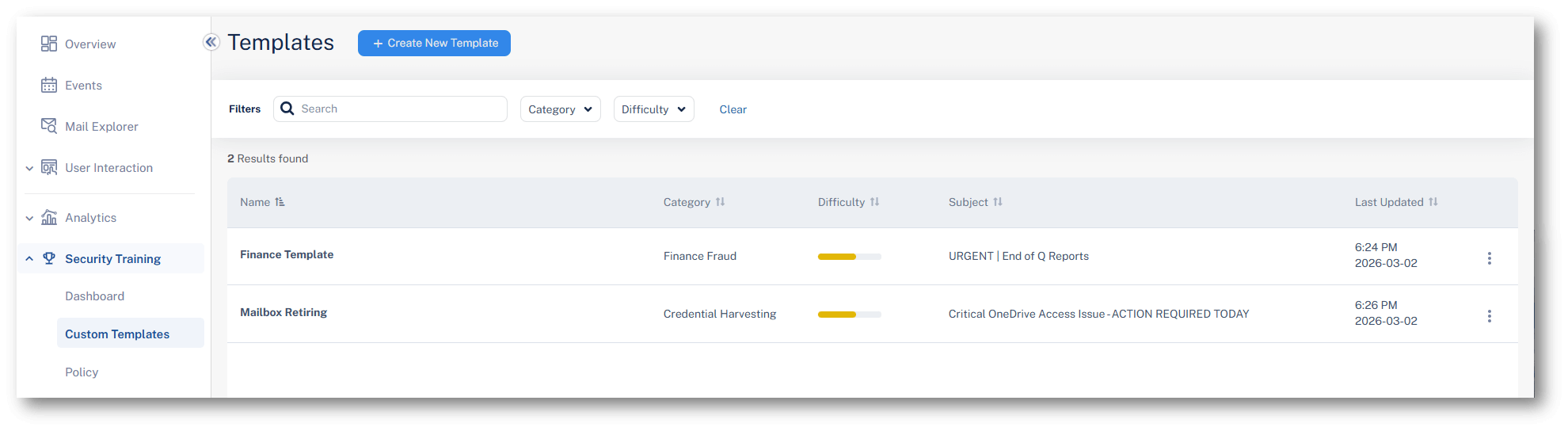
To create a custom phishing simulation template, navigate to Security Training > Custom Templates in the Avanan portal.
Administrators can create a template by either:
-
Filling out a structured form directly in the portal
OR
-
Uploading an existing EML file to onboard a ready-made phishing email template.
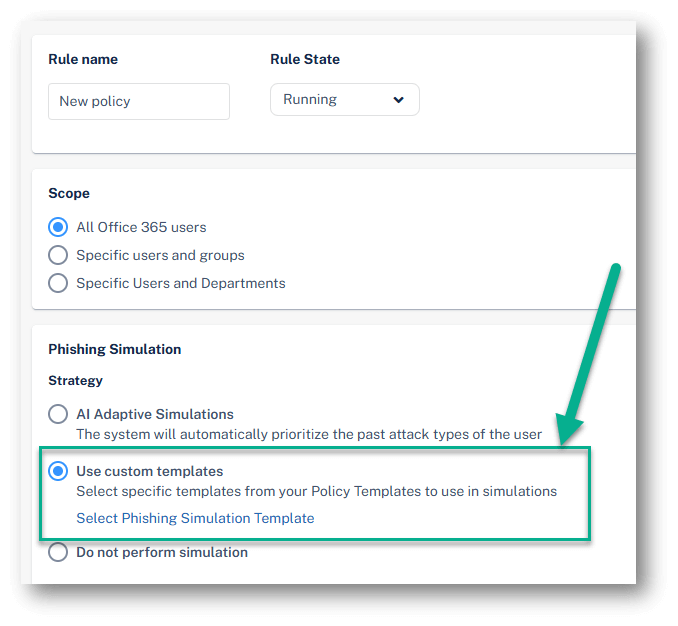
Once the templates are created, they can be selected within the SAT policy. Administrators can choose to generate simulations automatically using GenAI, or use one or more of their custom templates instead.