
Misdirected Emails Prevention and Enhanced Usability – In Outlook

A new Check Point Outlook Add-In that delivers in-context alerts and remediation for misdirected emails, along with phishing reporting and easy access to the End User Portal – all directly in Outlook.
Key Capabilities
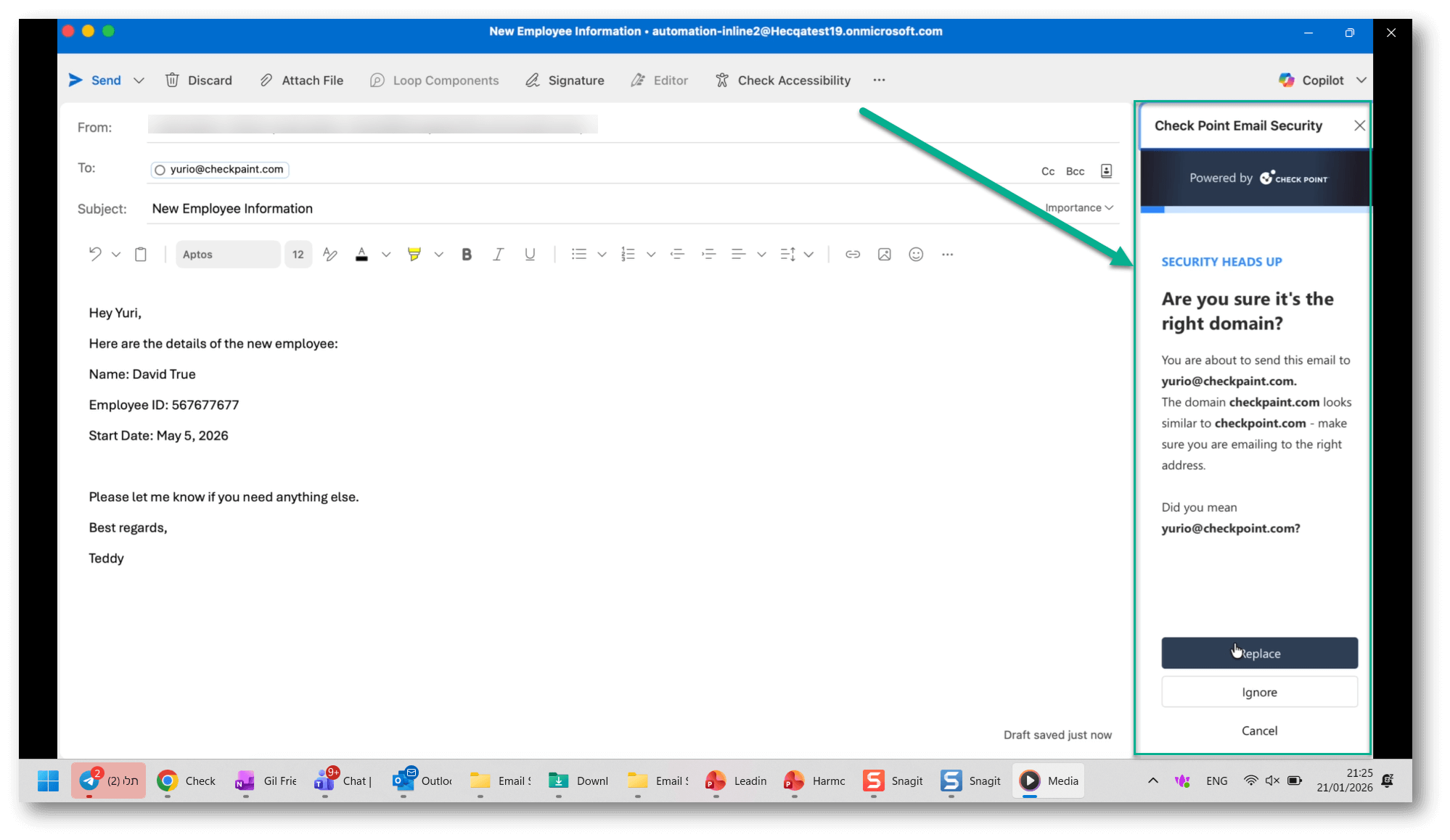
Misdirected Emails – Just-in-Time Alert and Remediation
Harmony Email & Collaboration already detects and blocks misdirected emails to prevent data loss. With this release, users are notified at the moment a violation occurs, directly inside Outlook, instead of receiving a post-send block notification. Users can immediately remediate the issue, such as correcting a mistyped recipient, and send the email successfully with a single click.
Note – To be entitled to the Misdirected Emails protection, customers are required to purchase the Complete package that includes DLP.
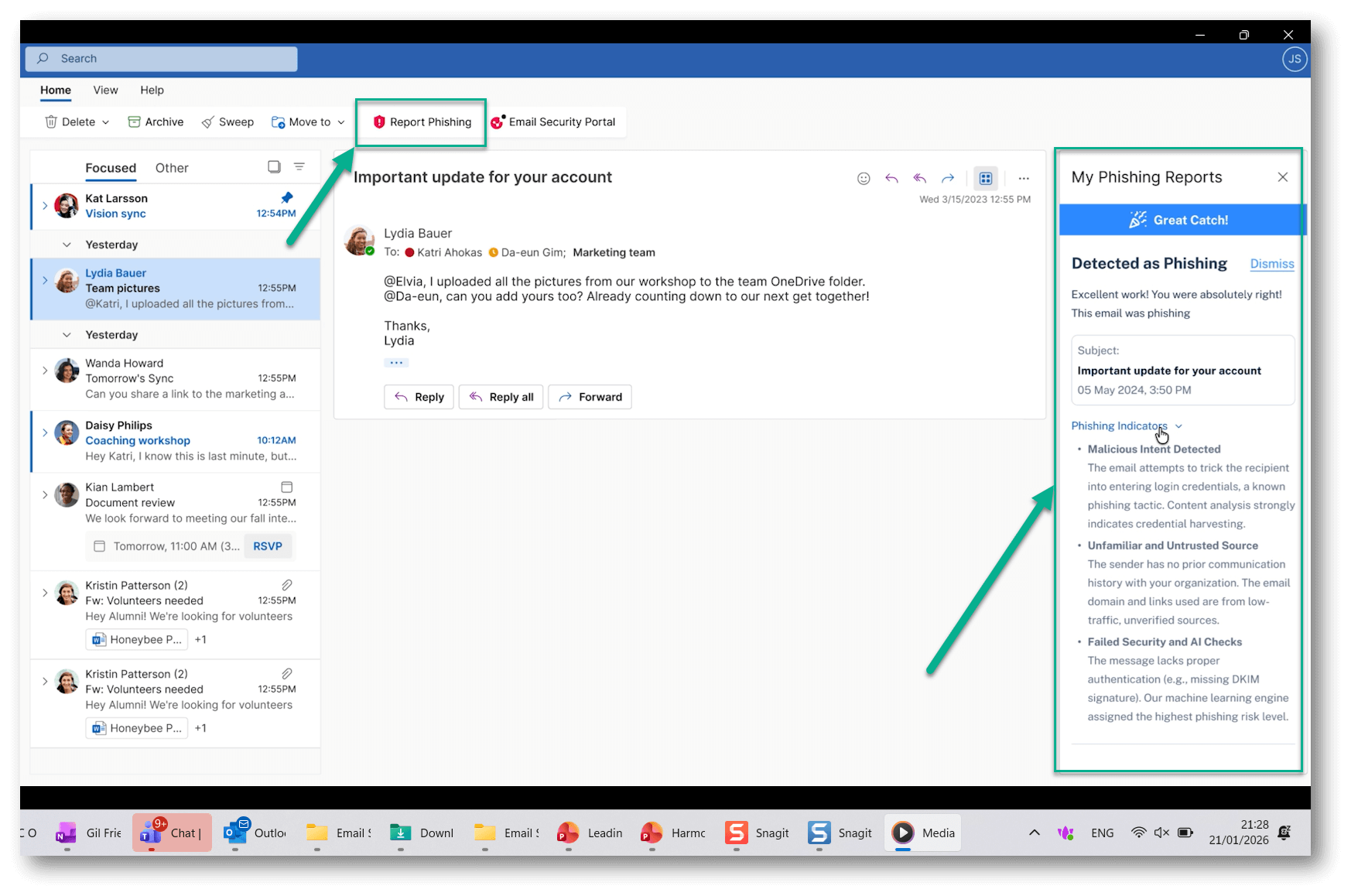
Report Phishing with Immediate Feedback
HEC continues to ingest phishing reports submitted through the Microsoft “Report Phishing” button and other reporting methods. This release introduces an optional Check Point Report Phishing button in Outlook. When users report phishing emails using the Check Point button, they receive real-time, in-Outlook feedback, including clear approval or decline explanations written in plain language and powered by GenAI.
In-Outlook Access to the End User Portal
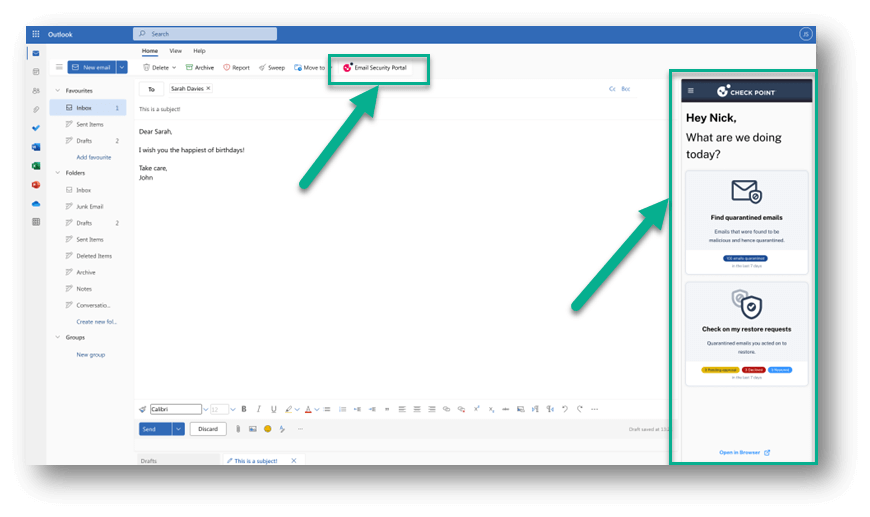
Users can access their End User Portal directly within Outlook—without additional authentication – to view quarantined emails and request message restoration.
Configuration and Installation
To configure and deploy the Outlook Add-In:
-
In the Harmony Email & Collaboration portal, navigate to:
User Interactions > Misdirected Email > Add-In Configuration -
Select the Outlook version and enable the desired add-in use cases.
-
Click Save and Download XML to generate the add-in configuration file.
-
Use the Microsoft Administration Center to deploy the add-in by uploading the XML file and assigning it to users.
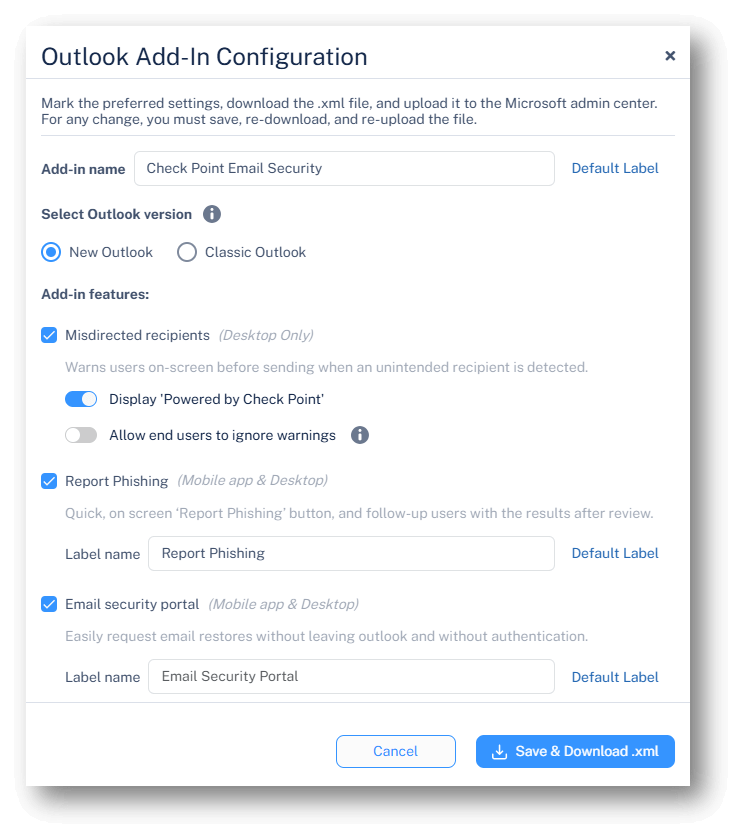
For detailed configuration and deployment instructions, see the Outlook Add-In chapter in the Harmony Email & Collaboration Admin Guide.
You may also like

Before the First Whistle: How Cyber Criminals Are Targeting World Cup 2026

Q1 2026 Ransomware Report: Fewer Groups, Higher Impact

World Password Day 2026: Why “Strong Passwords” Can’t Save You from AI, Infostealers, and the Telegram Underground
